Airbnb Photo Order: Best Sequence for More Listing Clicks
Learn the best order for Airbnb photos so guests quickly understand your space, value, and layout — plus copy-ready sequence templates by property type.
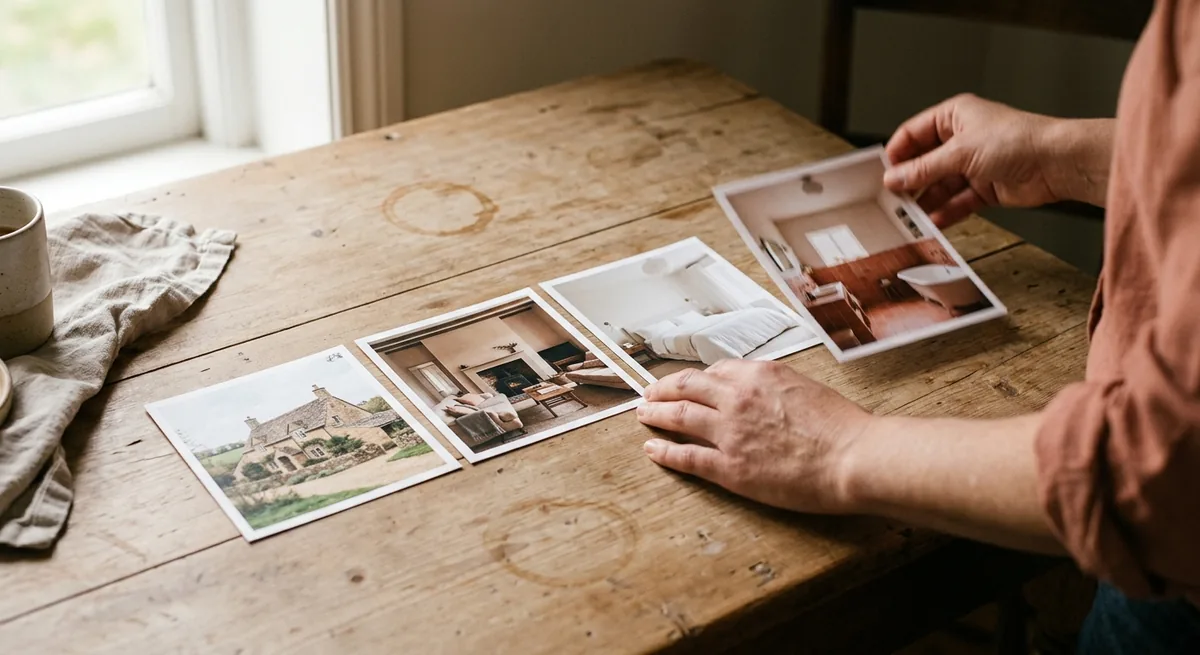
You picked good photos. You uploaded all of them. And then you let Airbnb display them in whatever order they happened to land in — which is how most galleries end up opening with a hallway, jumping to a bathroom, and burying the stunning deck at photo #19.
Your Airbnb photo order is doing a job whether you planned it or not. Guests skim galleries in seconds, mostly on a phone, and the sequence either builds a clear mental model of your place — "okay, that's the living room, two bedrooms, nice patio, I get it" — or it leaves them confused. Confused guests don't book; they hit back and tap the next listing.
The good news: reordering photos costs nothing and takes about twenty minutes. Here's the sequence that works for most listings, the mistakes to avoid, and templates you can copy by property type.
The best Airbnb photo order is: a strong cover photo, two or three shots of your best living space, then bedrooms, bathrooms, kitchen, standout amenities, and finally outdoor space and neighborhood context. Lead with the rooms guests will actually live in, group photos by room, and end with location — never alternate randomly between spaces.
Why Airbnb photo order affects clicks and confidence
Two different moments depend on your photo sequence.
The first is the click. In search results, guests see your cover photo — and on mobile, they can swipe through your first few images without ever opening the listing. That means photos one through five are effectively part of your search result. If photo #2 is a dim corner of the laundry room, you're spending premium real estate on your least persuasive asset. (Photo sequence is one of the five usual suspects when a listing gets views but not clicks.)
The second is booking confidence. Once a guest opens the gallery, they're trying to answer practical questions fast: How big is it? Where would I sleep? Is the bathroom updated? Is there outdoor space? A logical sequence answers those questions in order. A jumbled one forces guests to do the assembly work themselves, and most won't bother.
Say your lakeside cottage has a gorgeous screened porch, but it sits at photo #14 behind three near-identical bedroom angles. A guest comparing five cottages on a Saturday morning may never reach it. The porch isn't underperforming — it's just buried.
The best Airbnb photo order for most listings
Think of your gallery as a guided tour, not a folder dump. This order works for the large majority of listings:
- Cover photo. Your single most compelling, scroll-stopping image — usually the main living space or a signature exterior. It deserves its own decision process; here's a full framework for choosing an Airbnb cover photo that earns clicks.
- Hero room, 2–3 angles. The space guests will spend waking hours in: living room, open-plan kitchen-living area, or that signature deck. Show it from different corners so its size registers.
- Bedrooms, grouped. All angles of bedroom one, then all of bedroom two. Lead each group with the wide shot, then details (bedding, closet, workspace).
- Bathrooms. Guests always check. One clean, bright photo per bathroom is enough; two if it's a selling point.
- Kitchen and dining, if they weren't your hero. One wide shot plus one detail (coffee setup, stocked spice rack) beats five overlapping angles.
- Standout amenities. Hot tub, fire pit, game room, EV charger, washer-dryer. These justify your rate — give each its own clear photo.
- Exterior and outdoor space. Front of the house, yard, parking, the view.
- Neighborhood and context. The beach two blocks away, the trailhead, the café on the corner. This is where you prove location value — a visual like the one our neighborhood map generator creates does the same job inside your listing description, showing walk times and nearby spots at a glance. For the full approach to proving location value before guests book, see how to show guests what's near your Airbnb.
Notice the logic: start where guests will live, end with where they'll explore. Interior sells the stay; exterior and neighborhood seal the decision — and your written neighborhood description should tell the same story in words.
How many photos should you use?
More isn't better — complete is better. For most one-unit listings, 20 to 30 photos covers every space without padding. A studio can tell its full story in 15; a five-bedroom house may genuinely need 35.
The test for every photo: does it answer a question a guest actually has? Three nearly identical sofa angles answer the same question three times. Cut to the best one. Meanwhile, if you have a king bed but no photo proves it, that's a question left open — and open questions cost bookings.
Say your listing has 42 photos and bookings are fine but clicks feel low. Try this: cut to your best 25, reorder them with the sequence above, and watch your numbers for two weeks. You can always add photos back; you can't recover the guests who gave up at photo #30 of the same kitchen.
Photo order mistakes that confuse guests
- Random room-hopping. Living room, bathroom, exterior, bedroom, living room again. Guests lose the thread of your layout. Group by room, always.
- Burying the money shot. If guests consistently mention the view or the hot tub in reviews, it belongs in your first five photos — not at the end as a reward for the patient.
- Opening with the exterior of an ordinary building. Unless your facade is genuinely striking (a-frame cabin, historic brownstone), guests book interiors. Lead with the room, not the siding.
- Mismatched quality up front. One dark, yellow-tinted photo in your first five undercuts the four good ones around it. If a key room only has a mediocre shot, brighten and clean it up with a listing photo enhancer before giving it a premium slot — or go further and make the whole set look professional without a photographer.
- No captions. Airbnb lets you caption photos — use them to label rooms ("Bedroom 2 — queen bed, sleeps 2") and reinforce the tour logic.
Airbnb photo sequence templates by property type
The principles hold everywhere, but the hero changes by property. Copy the template closest to your listing:
| Property type | Photos 1–5 | Middle of the gallery | Final 2–3 photos |
|---|---|---|---|
| City apartment / studio | Living area (2), bed/sleeping nook, kitchen, workspace | Bathroom, storage, building amenities (gym, rooftop) | Street scene, nearby transit, café or landmark |
| Family house | Living room (2), kitchen, primary bedroom, backyard | Remaining bedrooms grouped, bathrooms, laundry, garage/parking | Neighborhood park, school-adjacent green space, exterior |
| Cabin / rural getaway | Exterior or signature view, living room with fireplace (2), deck or hot tub | Bedrooms grouped, kitchen, bathroom, fire pit | Trail or water access, surrounding landscape |
| Beach / lake condo | View or balcony (2), living room, primary bedroom | Kitchen, bathrooms, second bedroom, pool or complex amenities | Walk-to-beach path, shoreline, sunset shot |
The pattern behind every template: photos 1–5 carry your strongest differentiator, the middle confirms completeness, and the closing shots sell the location.
Reorder your photos this week
This is one of the rare listing improvements with zero cost and a same-day turnaround. This week:
- Open your listing on your phone, in an incognito browser, like a guest would.
- Write down the first five photos a guest sees. Do they show your three best selling points? If not, reorder.
- Group every remaining photo by room, cut duplicates, and caption each one.
- Check your last three photos — they should sell the neighborhood, not show a spare closet.
Strong photo order earns the click; everything after that is about converting it. If you're building toward repeat guests and more direct bookings for your rental, the same gallery sequence works on your own direct booking website too — one tour, told in the right order, everywhere guests find you.
Free Tool
See your hero photo, enhanced.
Your first three photos do most of the work. Upload your current hero shot and see what a cleaner, brighter version looks like — free, in seconds.
Try the Image Enhancer