Your Airbnb Gets Views but Not Clicks? Start Here
Your Airbnb listing gets views but not clicks? Here are the five most common causes — cover photo, title, price framing — and the fastest fixes for each.
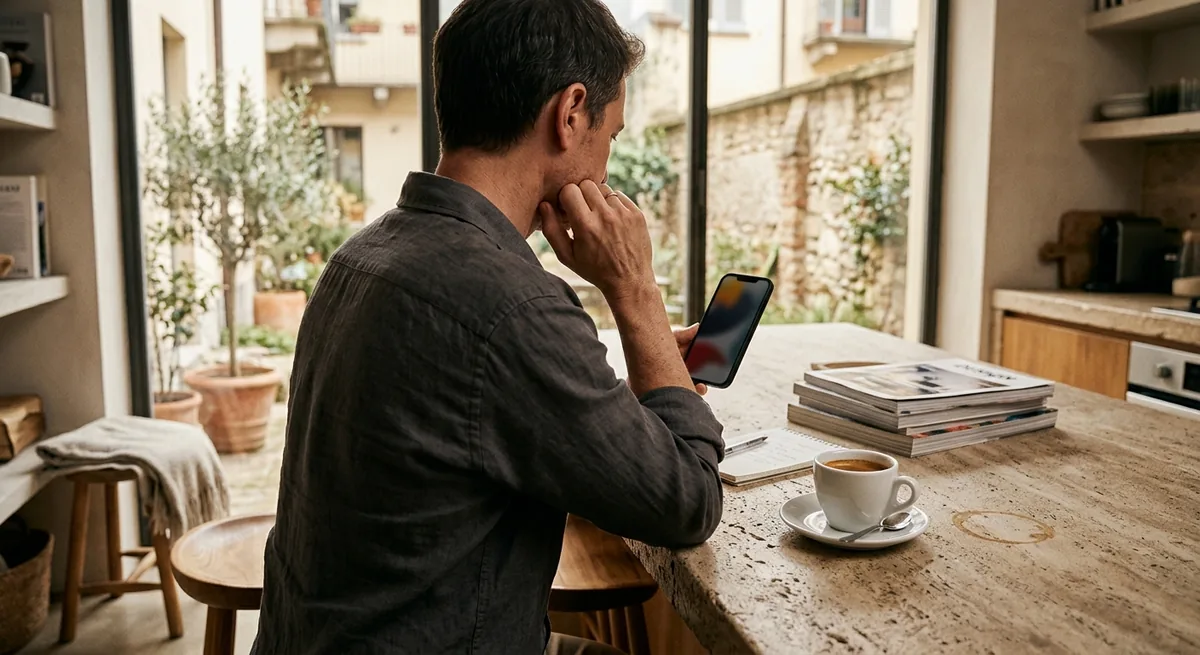
You open your stats and the pattern is hard to miss: your Airbnb listing gets views but not clicks. You're showing up in search — Airbnb is putting you in front of travelers — but they're scrolling past your thumbnail and opening someone else's place instead.
That's actually good news in disguise. Visibility is the hard part, and you already have it. What you're losing is the half-second decision a guest makes while scanning a wall of near-identical cards. That decision is fixable, and you don't need a professional photographer or a pricing overhaul to fix it.
The short answer: when an Airbnb listing appears in search but doesn't get clicked, the cause is almost always one of five things — a weak cover photo, a generic title, a price with no context, unanswered guest doubts, or a listing with no clear angle. Fix the cover photo first; it carries most of the decision.
What the views-but-no-clicks gap actually tells you
In search results, a guest sees exactly four things: your cover photo, a short title, your nightly price, and your rating. That's the whole pitch. Nothing in your amenity list, your house manual, or your 14 carefully written paragraphs exists yet at this stage.
So a gap between search appearances and listing opens isn't a mystery — it's a verdict on those four elements. Guests saw the card and decided, in under a second, that another card looked like a better bet.
Say your lake cottage shows up in 400 searches a week but only gets opened a handful of times. The algorithm isn't hiding you. The market isn't dead — those 400 searchers booked somewhere. Your card lost a beauty contest it didn't know it was in.
Why your Airbnb gets views but not clicks: the 5 usual causes
Work through these in order. In most listings the problem is number one, occasionally compounded by two or three of the others.
1. Your cover photo loses the thumbnail test
The cover photo does most of the work, and most cover photos fail the same way: they look fine full-screen on a laptop and turn into a dim, cluttered postage stamp on a phone. Dark interiors, wide shots with no focal point, exteriors photographed on a gray day — all of them blur into the scroll.
Shrink your cover image to thumbnail size and put it next to the first five competitors in your search results. If yours isn't in the top two for brightness and instant legibility, that's your leak. There's a full framework for this in how to choose an Airbnb cover photo, and you can test an improved version of your current shot in minutes with the free listing photo enhancer — brighter, sharper, same room.
2. Your title reads like everyone else's
"Cozy 2BR Apartment Near Downtown" describes thousands of listings. When every card in a search result says some arrangement of cozy, charming, and spacious, none of them gives a guest a reason to pick that one.
A title earns clicks when it names something specific and checkable: "Hot Tub + Mountain View, 5 Min to Lifts" beats "Beautiful Mountain Retreat" because the guest can picture the first one. Lead with your single most bookable feature — the thing guests mention in reviews — not a mood word.
3. Your price has no frame
A price on its own isn't expensive or cheap — it's expensive or cheap next to the cards around it. If your $240/night cabin appears between two $180 listings with similar thumbnails, guests don't see "premium," they see "why?"
You can't control your neighbors, but you can control whether your card justifies its number. A $240 listing with a bright, distinctive cover photo and a title that names the hot tub and the view reads as worth more. The same listing with a dim photo and a generic title reads as overpriced — at any price.
4. Guests can't resolve uncertainty fast enough
Some guests do click — then bounce in seconds and never come back. That's still a click problem in disguise: your photo sequence isn't answering their questions fast enough. If the second photo is a close-up of throw pillows instead of the best room, or the bathroom shows up fifteenth, the guest's doubts ("is this place actually nice? where do I sleep? how's the bathroom?") go unanswered and they retreat to search.
The fix is ordering your photos so the first five resolve the big doubts in sequence — covered step by step in the best photo order for Airbnb listings.
5. Your listing has no angle
If someone asked "why this place instead of the 30 others like it?", your card should answer without a word being read. Walkable to the beach? The card should show water. Built for remote workers? Show the desk with the view, not a third sofa angle.
Location is the most common missing angle. Plenty of listings sit five minutes from the thing guests are actually searching for and never say so above the fold. If your spot is your strength, make it visible — a clear visual like the free neighborhood map generator turns "great location" from a claim into something a guest can see, and a five-line neighborhood description does the same job in words.
What to fix first
Don't change five things at once — you'll never know what worked. The order that pays off fastest:
- Cover photo. Highest impact, fastest to test.
- Title. Ten minutes of work, immediate effect on the card.
- First five photos. Reorder so they answer doubts in sequence.
- Angle and location proof. Make your "why this one" visible.
- Price framing. Only after the card itself is strong.
Change one variable, wait about two weeks, compare searches-to-opens before and after. That's your scoreboard.
The 30-minute Airbnb listing audit
Block half an hour, pull up your listing on your phone (not your laptop — guests search on phones), and run this checklist:
- [ ] Minute 0–5 — The lineup test. Search your own area as a guest would. Find your card among competitors. Is your thumbnail in the top two for brightness and clarity? Honest answer.
- [ ] Minute 5–10 — The squint test. Squint at your cover photo at thumbnail size. Can you still tell what room or feature it shows? If it's a vague bright blur, it fails.
- [ ] Minute 10–15 — The title test. Cover your photo and read only the title. Does it name one specific, checkable feature? Cross out every word that could describe a competitor.
- [ ] Minute 15–20 — The five-photo test. Look at photos 1–5 only. Do they answer: is it nice, where do I sleep, how's the bathroom, what's the standout feature, where is it?
- [ ] Minute 20–25 — The price-neighbor test. Note the three cards above and below yours in search. If you're priced higher, does your card visibly justify it?
- [ ] Minute 25–30 — Pick one fix. Choose the single worst failure from the five tests. Write down today's weekly search and view numbers, make the one change, and calendar a check-in for two weeks out.
Run the audit this week
A views-but-no-clicks listing is the best kind of broken: the demand already exists and the fixes are within your control, free, and testable. You don't need more visibility — you need a card that wins the half-second scan.
Run the 30-minute audit, fix the worst failure first (it's usually the cover photo), and measure the before-and-after over two weeks. One honest test beats a month of wondering why guests keep scrolling past.
The work compounds, too: the photo and title that win the half-second scan on Airbnb are the same assets that sell your place anywhere guests find it — including a direct booking website of your own, where every click you earn is commission-free.
Frequently Asked Questions
How do I know if my Airbnb gets views but not clicks?
Check your performance stats in the Airbnb host dashboard. If your listing shows up in plenty of searches but the number of guests opening it stays flat, you have a click-through problem, not a visibility problem.
Will changing my cover photo hurt my search ranking?
Swapping a photo doesn't reset your listing. If the new image earns more clicks, the change usually helps over time, because engagement is part of how search results get ordered. Test one image at a time so you can tell what worked.
Should I lower my price to get more clicks?
Not as a first move. Most click problems are framing problems, not price problems. Fix the photo, title, and listing clarity first; if clicks are still weak after that, then test price against truly comparable listings.
How long should I test a change before judging it?
Give each change about two weeks, or longer in slow seasons, and change one thing at a time. Compare the same metric before and after — searches versus listing opens — so you know what actually moved.
Free Tool
See your hero photo, enhanced.
Run the 30-minute audit below, then put your hero image to the test with the free listing photo enhancer.
Try the Image Enhancer