How to Choose an Airbnb Cover Photo That Gets More Clicks
A practical framework for choosing an Airbnb cover photo that stands out in mobile search results, sets honest expectations, and earns more clicks.
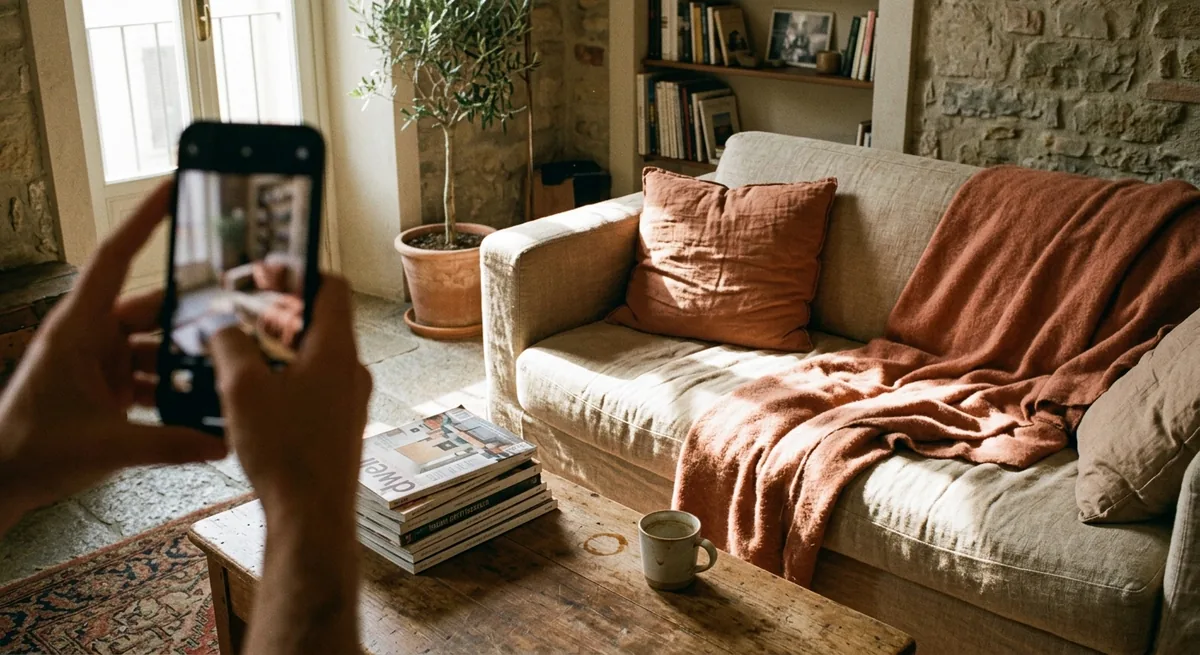
Your cover photo does a job no other part of your listing can: it earns the click. Guests scrolling Airbnb search results see a grid of thumbnails, a nightly rate, and a star rating — that's it. Before your title, your description, or your five-star reviews get a chance, one image has already decided whether they tap or keep scrolling.
That's why learning how to choose an Airbnb cover photo is one of the highest-leverage moves available to a small host. You don't need new furniture or a renovation. You need to pick the right frame, present it well, and check it the way a guest actually sees it — on a phone, at thumbnail size, next to a dozen competitors.
The short answer: choose the one photo that shows your property's single biggest selling point — a view, a striking living space, a hot tub, a porch at golden hour — shot in bright natural light with one clear focal point. Then verify it reads instantly at thumbnail size on a phone, because that's where most guests will judge it.
This guide gives you a practical framework: what makes a strong first image, the mistakes that quietly cost clicks, a checklist to test your current photo, and a worked before-and-after scenario.
Why the cover photo matters more than every other photo
Think about how guests actually search. They set dates and a destination, then skim a results grid where each listing gets a fraction of a second. At that moment your cover photo isn't competing with your own interior shots — it's competing with every other thumbnail on the screen.
Two things follow from that:
- The cover photo controls clicks, not bookings. Its only job is to make someone open your listing. The rest of your photos, your description — including how you explain the neighborhood — and your reviews close the deal. If your stats show plenty of search appearances but few listing opens, you're looking at this exact problem — the views-but-no-clicks gap walks through how to diagnose which of the five usual causes is yours.
- A listing with great photos buried behind a weak cover underperforms. If photo #7 is your stunner and photo #1 is a dim hallway, most guests never see photo #7.
There's also a compounding effect: more opens mean more chances to convert. And the same logic applies anywhere your property appears — your cover image is usually what shows up when someone shares your link or visits your direct booking website.
What makes a strong Airbnb cover photo
When you're deciding how to choose an Airbnb cover photo from your existing set, run each candidate through five filters.
Brightness
Bright photos win thumbnails. Shoot in daylight with every curtain open and lamps on; avoid dim interiors unless the shot is genuinely dramatic (a lit hot tub under the stars can work). If your best frame is slightly dark, fix it in editing — a brightness pass is often the difference between "skipped" and "tapped."
Angle
Shoot from chest height, hold the camera level, and show depth — a corner-to-corner view of a room reads better than a flat wall. Wide enough to give context, not so wide that the room looks distorted like a fisheye. For exteriors, a slight three-quarter angle usually beats dead-on.
One clear focal point
A strong cover photo answers "what am I looking at?" instantly. A fireplace, a pool, a made bed with a mountain out the window — one hero element, framed deliberately. If a guest needs two seconds to parse the image, you've lost the scroll.
Emotional payoff
The best covers show a moment the guest wants to be inside: morning coffee on the deck, the tub steaming at dusk, sunlight across the bed. You're showing the feeling someone is buying for the weekend, and subtle staging helps — two mugs on the porch table, a throw blanket on the chair.
The mobile crop
This is the filter most hosts skip. Airbnb crops and scales your image across devices, and most guests browse on a phone. A photo that looks great full-screen on your laptop can turn to mush at thumbnail size: the hot tub becomes a gray dot, the view out the window disappears. Your hero element should occupy a big share of the frame, and the image should still make sense when it's smaller than a business card.
Common Airbnb cover photo mistakes
Most weak covers fall into a handful of patterns:
- The bathroom or hallway lead. Functional rooms confirm a booking; they don't start one. Lead with desire, not logistics.
- The dark or cluttered shot. Closed curtains, cables, counter clutter, a visible laundry basket. At thumbnail size, clutter reads as "tired."
- The misleading wow shot. A drone photo of the whole beach when your unit is three blocks inland sets expectations you can't meet — and disappointed guests write the reviews that hurt for years. Impressive and honest is the bar.
- The wide shot that shows everything and sells nothing. Five rooms visible, zero focal points. Pick one thing and frame it.
- The seasonal mismatch. A snowy exterior as your cover in July makes the listing feel stale. Swap covers with the seasons if your property's look changes.
How to test your current cover photo
Before changing anything, audit what you have. Here's the checklist — run it on your phone, not your laptop:
- The squint test. Shrink the image to thumbnail size and squint. Can you still tell what the hero element is? If it dissolves into shapes, it fails.
- The lineup test. Search your own area on Airbnb for a typical weekend, find your listing in the results, and screenshot the grid. Does your thumbnail stand out from its neighbors, or blend in?
- The three-second stranger test. Show the photo to someone who's never seen your place for three seconds, then ask: "What's the best thing about this property?" If their answer isn't your actual best feature, the photo is selling the wrong thing.
- The honesty test. Will a guest stand in your property and recognize this exact shot? If not, you're borrowing trust you'll repay in reviews.
- The brightness check. Put your thumbnail next to the brightest competitor in your screenshot. If yours looks dim by comparison, edit or reshoot.
- The season check. Does the photo match what guests will experience if they book this month?
If your photo passes all six, leave it alone and spend your energy elsewhere — the order of the photos behind it and the rest of your listing funnel matter too. If it fails two or more, you've found your weekend project.
A before-and-after scenario
Say you run a two-bedroom lake cottage at $180/night. Your current cover is a front-facing exterior shot taken on a gray afternoon: the house is centered, the lake is a thin sliver behind the roofline, and at thumbnail size it reads as "a house." It fails the squint test and the three-second test — nobody guesses "lakefront" from it.
You reshoot one image. From the dock at 9 a.m., you frame the back deck with two Adirondack chairs in the foreground and the cottage angled behind them, water filling the bottom third of the frame. Bright morning light, one focal point (the chairs facing the lake), and an obvious emotional payoff: that's where I'll drink my coffee. You run it through an enhancement pass to lift the shadows on the deck, and check the thumbnail — the lake and chairs still read clearly at small size.
Nothing about the property changed. But the listing now leads with the one thing guests are actually shopping for — the lake — instead of a facade that could be anywhere. That same hero image then becomes the anchor for the rest of your marketing, from your listing to your own direct booking site for your vacation rental.
Change one photo this week
Here's your measurable next step. This week:
- Run the six-point checklist on your current cover photo, on your phone.
- If it fails, pick your best candidate replacement (or shoot one yourself in tomorrow's morning light — good light and staging matter more than the camera).
- Brighten and clean it up — you can run it through our free listing photo enhancer to see what an enhanced version looks like before you commit.
- Swap it on Airbnb, note today's date, and compare your views over the next few weeks against the few weeks before.
One image, one afternoon of work, and a clear way to know whether it paid off. And once your cover is pulling its weight, the Short-Term Rental Revenue Playbook covers what to fix next across pricing, your listing, and your direct channel.
Frequently Asked Questions
Should my Airbnb cover photo be inside or outside?
Whichever single image best answers why a guest would pick your place. A cabin with a striking exterior should lead with it; a city apartment usually wins with its best interior moment, like a bright living room or a view from the window.
How often should I change my Airbnb cover photo?
Only when you have a reason: a better photo, a seasonal mismatch, or a stretch of weak clicks. When you do swap it, note the date and compare views and bookings over the following few weeks rather than reacting day to day.
Do I need a professional photographer to get a good cover photo?
No. Many strong cover photos come from a recent phone, shot in good daylight at chest height with the room tidied and staged. Editing and enhancement matter as much as the camera.
Free Tool
See your hero photo, enhanced.
Design, SEO and email marketing included. Free preview from your listing URL, live in 24 hours, 0% commission.
Try the Image Enhancer