Direct Booking Website for Vacation Rentals: A Host's Guide
Learn what a direct booking website needs, what it costs, and how small vacation-rental hosts can launch one without leaving Airbnb or Vrbo.
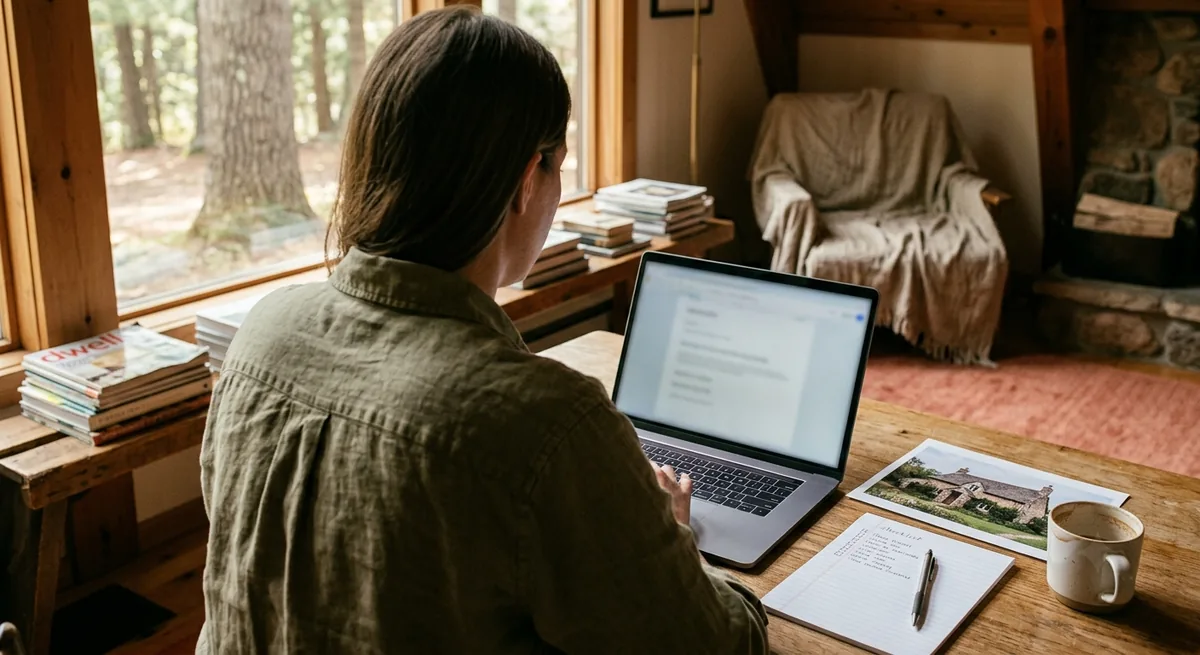
If you host on Airbnb or Vrbo, you've probably done this math in your head: take what guests paid last year, subtract what actually hit your bank account, and wince. A direct booking website for vacation rentals exists to shrink that gap — not by replacing the OTAs, but by giving your best guests a way to book you directly the second time.
The catch is that most advice on this topic is written for property managers running 50+ units, full of PMS comparisons and channel managers you don't need. If you have one to five properties, your version of a direct booking site is simpler, cheaper, and faster to launch than that content suggests.
This guide covers what a direct booking website actually does, the pages it needs, the SEO basics worth doing, what it realistically costs, and a launch checklist you can work through this month.
The short answer: a direct booking website for vacation rentals is your own site where guests can see availability and book without an OTA in the middle. For a small host, it needs five things — a homepage, a photo gallery, an availability calendar, a booking or inquiry flow, and clear policies — and it works alongside Airbnb, not instead of it.
What a direct booking website actually does
Think of it as three jobs rolled into one page on the internet.
Job 1: it catches your repeat guests. Say a family loved their week at your lake house. Next summer, they remember your place but not your exact Airbnb listing — so they search your property's name. If nothing comes up, they go back to Airbnb, you pay the commission again, and the OTA keeps the customer relationship. With a website, that search lands on you, and the booking is yours at full margin.
Job 2: it gives referrals somewhere to land. "You have to stay at this cabin" is the best marketing you'll ever get, and it's free. A website turns that word-of-mouth into a link your past guests can text to a friend — something an OTA listing buried among 300 competitors can't do.
Job 3: it makes you look like a real business. Guests booking outside a big platform want reassurance. A clean site with real photos, clear policies, and a working calendar tells them you're a professional host, not a stranger with a spare key.
What it does not do — and this matters — is replace OTA discovery. Airbnb and Vrbo spend enormously to put your listing in front of strangers, and that's worth the typical 15–18% in combined host and guest fees for first-time guests. The hybrid model is the whole strategy: OTAs find new guests, your website keeps them. If you want the broader playbook for that, see our guide on how to get direct bookings without quitting Airbnb — and if you're still deciding which channel deserves your next hour, our Airbnb vs direct booking website comparison walks through that decision.
Must-have pages for one-property and small-portfolio hosts
You don't need a sprawling site. You need five things done well. Here's the structure that works whether you have one cabin or four condos.
Homepage: the listing page you actually control
Your homepage should answer, within five seconds: what is this place, where is it, and why should I care? That means:
- A hero photo of your property's best angle — the same discipline you'd apply to choosing your Airbnb cover photo.
- A one-line value statement. Not "Welcome to our website" but "A 3-bedroom A-frame on Lake Winnipesaukee, 4 minutes from the marina." Concrete distances and nearby anchors sell stays — there's a full method for picking them in how to show guests what's near your Airbnb, and a five-part formula for describing the neighborhood once you have them.
- A visible "Check availability" button above the fold.
- Trust signals: a couple of short guest quotes (with permission), your response time, years hosting.
If you have multiple properties, the homepage becomes a simple chooser — one card per property, each linking to its own page built on this same template.
Photo gallery: your strongest sales asset
Reuse your best listing photos, but order them like a tour: exterior, living space, kitchen, each bedroom, bathrooms, outdoor areas, then neighborhood context — the same sequencing logic as a strong Airbnb photo order. Twelve to twenty strong images beat forty mediocre ones. Caption the ones that need context ("Bunk room — sleeps 4"). And if your existing shots feel flat, you can usually make them look professional without hiring a photographer before they go on the site.
Availability calendar: the credibility test
Nothing kills a direct booking faster than a guest emailing about dates that turn out to be taken. Your calendar should sync with your OTA calendars (iCal sync handles this without a PMS) so the site always shows real availability. Even a view-only calendar plus an inquiry form works — what's non-negotiable is that it's accurate.
Booking or inquiry flow: keep it boring
For a small host, you have two workable models:
- Instant booking with payment — guest picks dates, pays by card, done. Cleanest experience, slightly more setup.
- Request-to-book — guest submits dates and contact info; you confirm and send a payment link or invoice. Lower tech burden, and the personal touch often increases trust for higher-value stays.
Either is fine. What's not fine is a bare "Contact us!" email link with no structure — guests interpret friction as risk.
Policies and practical pages
One page covering cancellation policy, house rules, check-in/check-out times, pet policy, and deposit terms. Plain language, no legalese theater. Guests booking direct read this page more carefully than OTA guests do — it's part of how they decide you're legitimate. Add a short "About your hosts" section with a photo of you; it converts skeptics better than any feature list.
SEO basics that matter for a vacation rental website
Here's the honest version: a single-property site will not outrank Airbnb for "cabins in Gatlinburg," and chasing that is wasted effort. Your SEO goals are narrower and very winnable.
Win your own name first
Your number-one keyword is your property's name. If your cabin is "The Blue Spruce Lodge," the title tag of your homepage should say so, along with the location: The Blue Spruce Lodge — Gatlinburg Cabin Rental. When a past guest searches that name next year, you must be result #1. This alone justifies the site.
Title tags and descriptions, done once
Every page gets a unique title (under 60 characters, place name + location + page topic) and a meta description that reads like an invitation, not a keyword list. This is a one-afternoon task, not an ongoing skill.
Image SEO: name your files like a human
blue-spruce-lodge-hot-tub-deck.jpg beats IMG_4club82.jpg. Add alt text describing each photo. Compress images so pages load fast on a phone — most guests will find you on one.
Internal links and one outbound anchor
Link your pages to each other with descriptive text ("see our [availability calendar]" rather than "click here"). If you later add a small blog or area guide ("Best breakfast near the lodge"), link it back to the booking page.
Schema and Google Business Profile
Structured data (schema markup) helps Google understand you're a lodging business — most modern site builders and done-for-you services add it automatically, so this is a checkbox, not a project. A free Google Business Profile for your rental, where appropriate for your market, puts you on the map for "vacation rental near [landmark]" searches.
That's the whole list. No backlink campaigns, no content calendar required. Depth later is optional; accuracy now is mandatory.
What it costs to launch and maintain
Costs fall into four buckets, and the spread between DIY and custom is wide. These are typical ranges, not quotes — your market and choices will move them.
| Cost bucket | What it covers | Typical range |
|---|---|---|
| Domain | yourpropertyname.com, renewed yearly | $10–25/year |
| Hosting / platform | Where the site lives; often bundled with builders or services | $0–40/month |
| Build | Design, copy, photos arranged, booking flow set up | $0 (pure DIY) to several thousand (custom developer) |
| Maintenance | Calendar sync, updates, seasonal photo/rate changes | A few hours of your time, or bundled in a service plan |
The build is where paths diverge:
- DIY on a site builder is the cheapest in cash and the most expensive in evenings. Budget real hours for design decisions, copywriting, and booking-flow setup — and be honest about whether you'll finish.
- Done-for-you services (like a direct booking website built for you from your existing listing) trade a monthly fee for skipping the build entirely — usually the right call for hosts who'd rather host than webmaster.
- Custom builds make sense for larger portfolios with specific needs, which is probably not you yet.
If you want the line-item version of this comparison — including the costs hosts forget to budget for — we break it down in how much a vacation rental website costs for one property.
Now weigh that against the other side of the ledger. Say your cabin rents for $220/night and books 130 nights a year — about $28,600 in gross bookings. If combined OTA fees run in that typical 15–18% band, the platforms' cut is several thousand dollars annually. You don't need to move all of it direct: reducing your Airbnb fee dependence by shifting even 15–20 nights a year to direct bookings can cover a website's entire annual cost, and everything beyond that is margin you keep. Run your own numbers in the commission calculator — it takes about a minute and uses your real rate and occupancy.
One budgeting note hosts often miss: the website is the asset, but the email list of past guests is the engine. Collecting guest emails (at checkout, in a guidebook guests actually use, in a post-stay note) costs nothing and is what makes the website pay off in year two and beyond. The Short-Term Rental Revenue Playbook covers how to turn that list into rebookings.
When a website makes sense — even if OTAs still bring most bookings
A direct booking website is not a referendum on Airbnb. It's an asset that compounds while OTAs keep doing what they're good at. It makes sense now if any of these describe you:
- You get repeat guests or could. Lake houses, ski condos, family-reunion-sized homes — anywhere guests return annually. This is the strongest signal.
- Guests already ask "can we book with you directly next time?" That demand is sitting on the table.
- You're in year two or beyond with a bank of reviews and photos. You have the raw material; the site just packages it.
- Your average booking is large. At $2,000+ per stay, each direct booking recovers a meaningful commission, so the site pays for itself in a handful of bookings.
When should you wait? If you're brand new with zero reviews and zero past guests, spend your first season nailing the listing and the guest experience — the website will have more to work with in six months. Even then, buying your domain name now costs almost nothing and protects the name.
The market is also tilting toward transparency: total-price rules like the FTC's Junk Fees Rule mean guests increasingly see the full cost of an OTA stay up front. A direct site that shows one honest price benefits from that comparison without you saying a word against anyone.
Your direct booking website launch checklist
Work through this in order. A focused host can clear it in two to four weeks; a done-for-you service collapses steps 3–7 into "review and approve."
- Buy your domain — your property name, .com if available. (15 minutes)
- Gather your assets: 15–20 best photos, your listing description, 3–5 guest quotes with permission, house rules, and policies. (1 evening)
- Choose your path: DIY builder, done-for-you service, or custom. Decide based on hours you'll honestly invest, not the sticker price alone.
- Build the five core pages: homepage, gallery, availability, booking/inquiry flow, policies.
- Connect calendar sync (iCal from Airbnb/Vrbo) and book a fake test stay yourself — on your phone — to find the friction before guests do.
- Do the one-afternoon SEO pass: title tags, meta descriptions, image filenames and alt text, Google Business Profile if it fits your market.
- Set up email capture: a simple form or a line in your post-stay message — "Book direct next time at [yoursite].com and skip the platform fees."
- Soft-launch to past guests: one short email announcing the site, ideally with a returning-guest perk like early access to peak dates.
- Put the link everywhere you legally can: your email signature, social profiles, guidebook, business cards at the property — everywhere except Airbnb's messaging, where steering guests off-platform breaks the rules.
- Review monthly: are photos current, is the calendar accurate, did anyone book or inquire? Adjust one thing each month.
Start with the math, not the website
Before you build anything, spend two minutes knowing your number: open the commission calculator, enter your nightly rate and nights booked, and see what OTA fees cost you per year. That number tells you how aggressive to be — whether a website is a nice-to-have or several thousand dollars a year waiting to be reclaimed.
Then start the checklist. Buy the domain this week, gather your assets this weekend, and pick your build path by the end of the month. Your OTA listings keep running the whole time; the website just makes sure that the next guest who loves your place has a way to come back to you.
Frequently Asked Questions
Do I need a property management system (PMS) to take direct bookings?
No. A PMS makes sense at 5+ properties, but with 1-3 listings you can run a direct booking website with a simple availability calendar and an inquiry or booking-request flow, then confirm payment with an invoice or payment link.
Is it allowed to have my own website while listing on Airbnb?
Yes. Airbnb's rules prohibit steering guests off-platform inside Airbnb's messaging, but owning a separate website and marketing it through your own channels — email, social media, business cards, repeat guests — is completely fine.
How long does it take to launch a direct booking website?
If you already have photos and a written description, a simple one-property site can go live in days, not months. A done-for-you service compresses it further; a fully custom build can take several weeks.
Do I need SEO skills to make a direct booking website work?
No. The basics — a clear title tag, descriptive image names, a few internal links, and a Google Business Profile — cover most of what matters for a single property. Your strongest traffic sources early on are past guests and referrals, not search rankings.
See Yours First
Your direct booking website, built for you.
Calculate your annual OTA cost with the commission calculator, then generate your free website preview — no card, no commitment.
Get Your Free Preview